Will HomeView work with your devices? Check the connection before buying
Bridges, camera recording and wall mounting can add requirements—and costs—to an existing Apple Home setup.
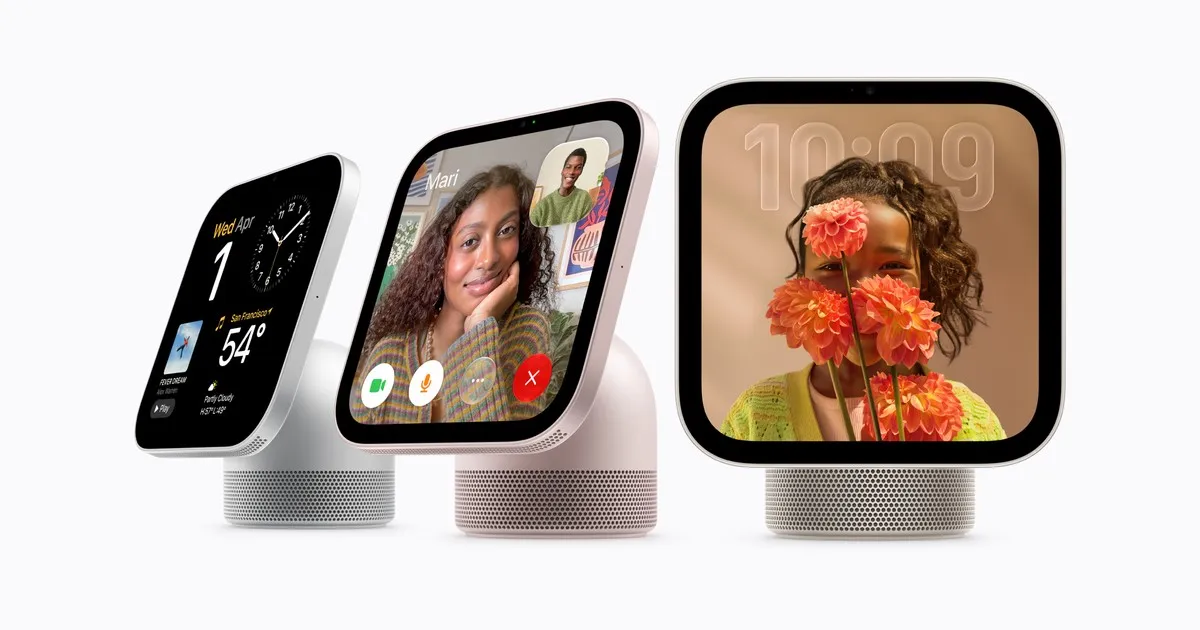
Apple’s HomeView is a smart-home display for a desk or wall, on sale today, 13 November 2026, in selected regions from $299 in the US and £299 in the UK, according to Apple and TechRadar.
It works with compatible HomeKit and Matter accessories, but not every light, plug, lock or camera you already own. Before buying, check each exact model’s supported connection and required hardware against the compatibility routes below.
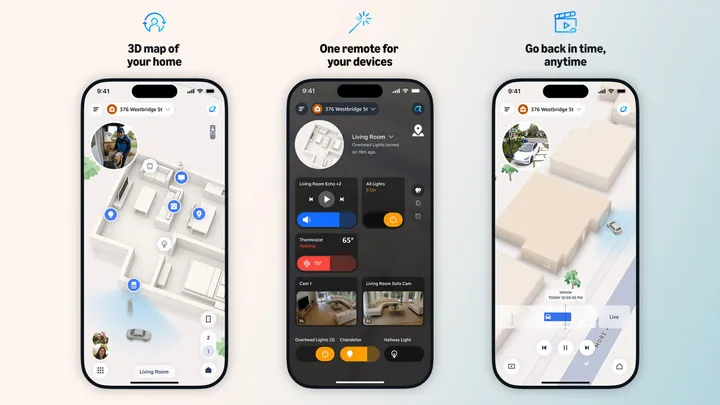
For an existing Apple Home household, T3 reports that signing in with the same Apple Account brings your accessories onto the display. Its Home Camera face can put up to nine live feeds on screen together.
Make a device checklist
Give each accessory a row with five entries: exact model, manufacturer’s compatibility page, connection route, required bridge or hub, and camera-feature eligibility where relevant. Check specifications and setup instructions rather than relying on the brand name; support can differ between models.
Assign one of four connection routes: direct Apple Home/HomeKit support; direct Matter support; support through a manufacturer’s bridge; or no documented supported connection. Leave an accessory in the last group until you find instructions supporting another route. “Direct” identifies how it connects, not whether you can dispense with home-hub or Thread equipment.
Apple’s Matter compatibility list includes lights, locks and outlets. It does not list cameras or doorbells, so use a separate camera check rather than assuming the Matter route covers video.
Keep the bridges and hubs you need
MacRumors reports Thread connectivity in HomeView, but its role as a Thread border router remains unconfirmed. Apple also has not confirmed that it replaces every HomePod or Apple TV home-hub function. Keep your existing hub for now.
Philips Hue provides a useful worked example. Compatible accessories attached to a Hue Bridge or Bridge Pro can use Matter through that bridge: record the bridge in your worksheet. A Hue bulb carrying the Matter logo can instead connect directly with a Thread border router: record that requirement instead. A Bluetooth connection cannot provide Matter support. Hue also excludes the Play HDMI sync box and the dial function of its Tap dial switch from Matter support, so check the control you need as well as the product name.
Apple allows iPhones with iOS 18 or later to add and control Matter accessories without a home hub. Thread accessories have separate infrastructure requirements, although Thread-enabled iPhones can pair and manage them locally on iOS 18, sometimes after an accessory update.
Follow the accessory maker’s requirements too: Eve directs buyers of its Matter devices to a hub supporting both Matter and Thread. For that equipment, put both capabilities in the required-hardware column before deciding what to keep or buy.
Add compatible accessories
For a device not yet in Apple Home, open the Home app, tap “+”, choose “Add Accessory”, and scan the setup code or follow the prompts. Apple’s pairing guidance says to choose “More options” for a Matter accessory already paired elsewhere, then select it. Previously paired Matter devices can join other Matter-supporting apps and ecosystems; switching everything to one platform is not a prerequisite.
Cameras: live feed vs recordings and AI
Mark each camera with one of three outcomes: no supported feed, live viewing only, or HomeKit Secure Video recording plus AI eligibility. TechRadar reports that compatible live viewing and basic accessory notifications do not require payment for recorded history.
In T3’s testing, the Aqara Smart Doorbell Camera G410 opened its feed when rung. The Reolink Argus Magicam supplied no view because it lacked direct Apple Home integration; that finding concerns this model. T3 also identifies Ring and Blink devices as lacking HomeKit or Matter certification and a supported HomeView connection.
For AI camera features, TechRadar lists four requirements: HomeKit Secure Video support in the camera; an Apple home hub suitable for the feature; an iPhone or iPad capable of running Apple Intelligence; and a qualifying subscription to iCloud+. Check all four separately from whether a live picture appears.
Apple requires suitable cameras and a qualifying iCloud+ subscription for features that identify vehicles, packages and pets, detect people and recognise familiar faces. HomeKit Secure Video keeps recordings for 10 days without using your normal iCloud storage allowance.
The US iCloud+ prices reported by TechRadar are $0.99 monthly for 50GB, $2.99 for 200GB and $9.99 for 2TB. Verify the camera allowance for your chosen plan and local pricing before subscribing.
Budget for the mounting option
T3 prices the USB-C wall mount at $59.95/£54.95 and a separate Apple power adapter at $19/£19. The adapter must supply at least 20W. Including the display, that makes a US wall setup $377.95 and a UK setup £372.95.
Schneider’s AC wired mount starts at $79.95 in the US. Apple schedules the US PoE mount, priced at $129.95, for early 2027. Any bridge, hub or subscription identified in your checklist adds to these hardware costs.
Check upgrades and extra feature requirements
Eve offers free Matter firmware upgrades for eligible Thread-enabled devices already purchased. Check eligibility before replacing older equipment. Its Wi-Fi devices will remain HomeKit-only, so a missing Matter upgrade does not mean losing their existing HomeKit compatibility.
Personal-context requests require a paired iPhone or iPad enabled for Apple Intelligence, current software, and Siri AI switched on in a supported language. Apple also says expanded access to usage-limited, server-side Apple Intelligence features will carry a future fee; it has not specified the amount.
Future support for currently unsupported cameras, wider Matter camera compatibility and an App Store remain unconfirmed. TechRadar’s suggestion of developments around WWDC 2027 is speculation. If an essential device has no documented connection today, leave its hoped-for upgrade out of your purchase decision.
Sources
- Apple: Apple HomeView available today ↗
- Apple: Meet Apple HomeView, a new way to enjoy entertainment, stay connected, and manage the home ↗
- Apple Support: Pair and manage your Matter accessories ↗
- Philips Hue: Philips Hue and Matter ↗
- Eve: Welcome, Matter! ↗
- TechRadar: I lived with two Apple HomeViews for 8 days — and I think Apple got the most important thing right ↗
- T3: Apple HomeView review: So much more than just another smart display ↗
- Macworld: Apple HomeView: Everything you need to know about Apple’s smart-home display ↗
- MacRumors: Apple HomeView ↗
- TechRadar: Apple’s HomeView costs $299 / £299 / AU$449, but that doesn't unlock all of its best features — here’s what you actually need to use options like Personal Context and video analysis ↗