Apple’s touchscreen MacBook Pro is not the M6 upgrade you might expect
The display family matters more than the chip number, with different prices, memory limits and monitor support.
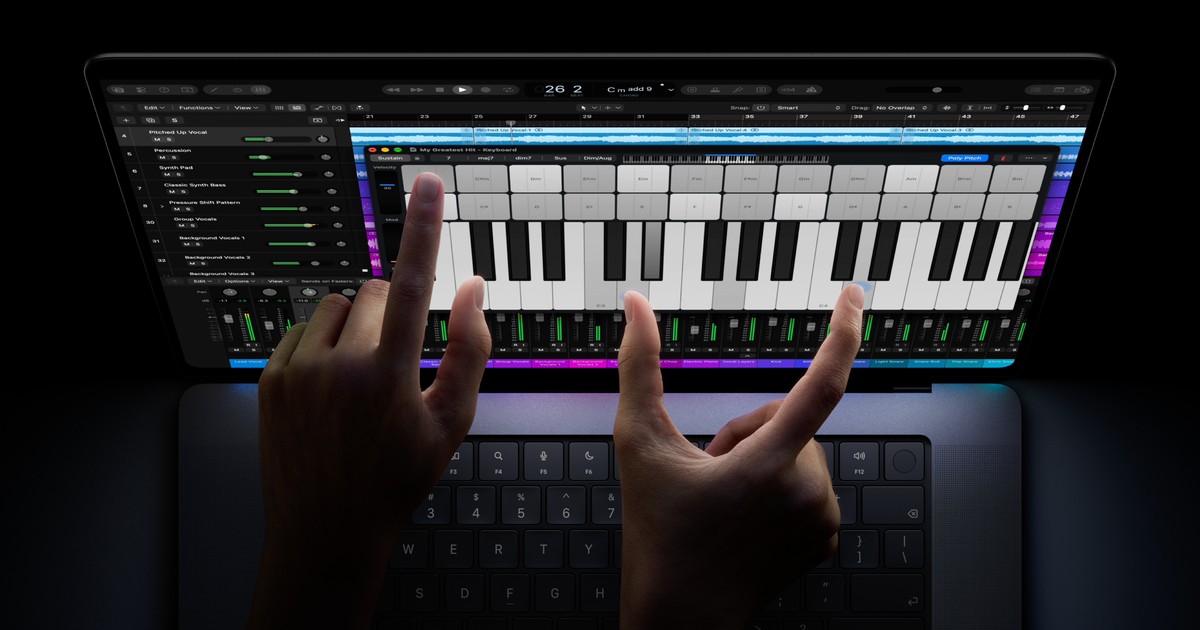
Buying the MacBook Pro with the newest chip number will not get you Apple’s new touchscreen. The PROLED XDR models use M5 Pro or M5 Max, while the separately announced 14-inch M6 model has a Liquid Retina XDR display. Both are scheduled to become available on November 6.
Start with the screen
The touchscreen range comes in 14- and 16-inch sizes. Apple says existing apps can respond because macOS converts touches into clicks, while developers can build more deliberate touch interactions. It adds another way to use the Mac alongside its keyboard and trackpad, rather than promising that every app has been redesigned for fingers.
Apple’s U.S. starting prices put the 14-inch M5 Pro touch model at $2,899 and the M6 at $1,999. That is a $900 difference between entry configurations, not the price of adding touch to an otherwise identical computer. The 16-inch touch model starts at $3,399.
There is another naming wrinkle in the Liquid Retina specifications: that family also includes M5 Pro and M5 Max machines. The chip name alone cannot identify a touchscreen model. Check for the PROLED XDR product description when comparing a retailer’s listing or a saved configuration.
What the specifications change
The PROLED specifications describe a tandem OLED screen with P3 and Adobe RGB colour support. Apple lists up to 1,000 nits of sustained full-screen brightness and 2,000 nits of peak HDR brightness. Peak brightness is a different measure from what the whole panel can sustain.
For the Liquid Retina display, Apple lists a 1,600-nit HDR peak and P3 colour support. Both families offer adaptive refresh rates reaching 120Hz. So touch and the display technology are meaningful differences; a high refresh rate is not something reserved for the new touch models.
Memory limits can be a more decisive difference than touch. The M6 specifications offer 16GB, 24GB or 32GB of unified memory and storage from 1TB to 4TB. Compare those limits against your existing projects before choosing.
The touch model’s entry M5 Pro configuration offers 24GB or 48GB, with 1TB to 4TB storage. At the other end, the M5 Max with a 40-core GPU can reach 128GB of memory and 16TB storage. Those maximum figures belong to higher configurations, not the $2,899 starting model.
Check the desk setup too
The M6 supports up to two external displays and has Thunderbolt 4 ports. PROLED models use Thunderbolt 5 and support up to three external screens with M5 Pro, or four with M5 Max. Resolution and refresh-rate combinations still apply: a screen-count maximum is not a guarantee for any monitor arrangement.
Battery comparisons also need matching conditions. Apple rates the M6 for up to 24 hours of video streaming or 16 hours of wireless web use. The 14-inch PROLED model with M5 Pro is rated for 22 and 14 hours respectively. These are manufacturer test maxima, not a promise of a full working day under every workload.
Apple’s M6 performance announcement compares its gains with M5, not M5 Pro or M5 Max. The larger generation number therefore does not settle this purchase. Start with whether you want touch, then compare the exact display, memory and monitor requirements against the price of the actual configuration.