Who should upgrade to the $299 Apple TV 4K—and who can spend less?
Check your Netflix plan and HDMI setup first. Four-HomePod surround raises the equipment bill to at least $895.
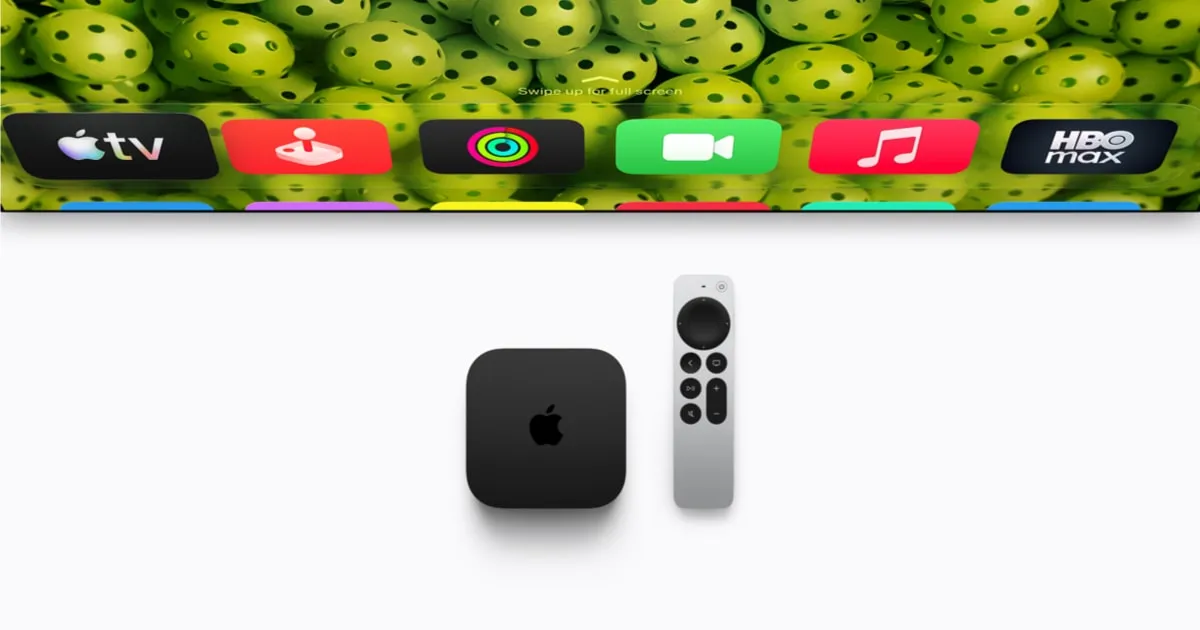
Apple TV HD and 2017 Apple TV 4K owners with an HDR-capable 4K television have the strongest picture-based reason to upgrade. The 2026 model shares the 2022 model’s listed 4K60, Dolby Vision and HDR10+ capabilities, offering no reason to replace that box for picture alone. The main new attractions are hands-free Siri, four-HomePod surround and A19 speed; whether they justify the purchase depends on how you use your TV.
The new model costs $299 in the US or £299 in the UK, compared with the 2022 model’s $129 starting launch price. Preorders opened on 13 October, with shipping scheduled for 13 November 2026—three days from today.
Check the TV and HDMI path
Start with the television’s manual: identify which HDMI inputs accept 4K and HDR, then enable any required enhanced HDMI or colour setting. The TV must support your chosen format. The 2026 box supports Dolby Vision, HDR10, HDR10+ and HLG, but a television without HDR will still show SDR.
Run the two-minute test at Settings > Video and Audio > Check HDMI Connection. Apple recommends cables carrying the Compatible Dolby Vision mark for tested compatibility. If you use a receiver, check its firmware and enhanced HDMI setting. To isolate a picture fault, temporarily bypass the receiver or soundbar and connect Apple TV directly to the television.
HBO Max’s specified 4K HDR setup requires HDMI 2.0 and HDCP 2.2 throughout the connected equipment. For HDR video with Atmos sound, check that the TV, receiver or soundbar in your connection path supports both. Apple TV’s high-bandwidth Atmos output cannot travel over ordinary ARC, so check the audio route as well as the picture.
Match the programme’s HDR and motion
Enable Match Dynamic Range and Match Frame Rate to preserve the programme’s original dynamic range and frame rate. Quick Media Switching can reduce delays when frame rates change, but requires a supporting TV. For televisions limited to HDR at 30Hz, or 25Hz in Europe, Match Dynamic Range accommodates those formats.
Do not buy this box for 4K at 120 frames per second. Although it has HDMI 2.1, Apple’s published video limit is 2160p at 60fps.
Check the plan before replacing the player
Netflix’s own plan page lists both Standard and Standard with ads at a maximum of 1080p Full HD. Premium, priced at $26.99 a month in the US, lists 4K Ultra HD and HDR. A new Apple TV cannot lift either 1080p plan to 4K. The plan page also leaves Netflix’s specific Dolby Vision requirements for the 2026 box unconfirmed, so check device support if that format drives your purchase.
For Apple TV app purchases and rentals, check the film’s format icons for the highest quality offered. Buying or renting the SD version will not unlock a higher-quality version. HBO Max requires Premium for eligible 4K titles with HDR10 or Dolby Vision on supported devices.
Audio subscriptions need a separate check. Audio Advice’s guide lists Disney+ No Ads for Atmos and, as of 10 April 2026, Prime Video’s Ultra add-on for Dolby Vision and Atmos. Its Max Atmos tier is called Ultimate Ad-Free, a naming mismatch with HBO Max’s Premium guidance. Confirm the current plan, individual programme and device support in your country before paying for an upgrade.
For Netflix sound, Audio Advice also identifies Premium as the tier required for Dolby Atmos. Check that entitlement alongside your audio equipment: the subscription and the connection path both affect whether you can hear Atmos.
Measure the connection where you watch
Apple recommends at least 25Mbps for 4K and says playback quality drops automatically when bandwidth is insufficient. HBO Max recommends at least 50Mbps, measured on the streaming device, for its best 4K experience. Check performance at the player against your service’s recommendation; the two figures are service-specific guidance, not a single universal threshold.
The new box includes Gigabit Ethernet and Wi-Fi 7. Consider a wired connection or compatible Wi-Fi 7 equipment if your home network limits streaming. A faster network will not improve a picture already streaming at its available quality. Owners of the 2022 128GB model already have Ethernet; the 64GB version has Wi-Fi only.
Price the speakers too
For a soundbar or receiver, check that Atmos is enabled at Settings > Video and Audio > Audio Format > Immersive Audio before replacing equipment.
The four-HomePod configuration accepts HomePod mini 2 or second-generation full-sized HomePods. Use matching speakers within each front and rear pair. Original HomePod minis and first-generation full-sized HomePods cannot join. TechRadar calculates a starting equipment total of $895 or £895 for the player and four HomePod mini 2 speakers.
Beyond the picture
Three far-field microphones enable hands-free “Siri” or “Hey Siri” commands, as Apple details. Apple claims up to 50% faster CPU performance and twice the GPU performance. The 2022 model lacks the AV1 decoder; Apple promises lower-bandwidth streaming, but supported apps and savings remain unconfirmed.
The verdict for your current model
Apple TV HD: its decoding limit is 1080p60 SDR. Upgrading can add 4K and HDR with a suitable television and content. For a cheaper alternative, look for discounted 2022 stock: the previous models are being replaced, and a reduced-price 2022 unit offers the same listed picture formats for less than the new box.
2017 Apple TV 4K: Dolby Vision and HDR10 decoding reach 4K30, while SDR reaches 4K60. Moving to either the 2022 or 2026 model adds 4K60 HDR decoding and HDR10+. Choose according to the formats your TV and programmes can use.
2021 Apple TV 4K: Dolby Vision and HDR10 already reach 4K60, so HDR10+ is the picture-format addition to investigate. Hands-free Siri, four-speaker surround and Apple’s advertised A19 speed gains provide the other reasons to consider the 2026 model.
2022 Apple TV 4K: Dolby Vision, HDR10 and HDR10+ already decode at up to 4K60. Keep it if those formats meet your needs. Consider upgrading for hands-free control, four-HomePod surround, A19 performance or AV1 support, with the latter’s practical benefit dependent on streaming apps.
Siri AI’s beta also supports second-generation and newer Apple TV 4K models. The separately sold remote supports Apple TV HD and every earlier 4K model.
If your purchase depends on AV1 savings, Wi-Fi 7 performance or four-speaker sound quality, wait for relevant independent testing. Ahead of the scheduled launch, independent streaming measurements and verification of those benefits across home setups are still missing.
Sources
- Apple: Apple unveils the new Apple TV 4K, supercharged by Siri AI ↗
- Apple: Apple TV 4K Technical Specifications ↗
- Apple Support: About 4K, HDR, HDR10+, and Dolby Vision on your Apple TV 4K ↗
- Apple Support: Change video settings on Apple TV 4K ↗
- Apple Support: Find films with 4K, HDR, Dolby Vision or Dolby Atmos in the Apple TV app ↗
- Apple Support: Set up Dolby Atmos or surround sound on Apple TV with a sound bar or AV receiver ↗
- FlatpanelsHD: Apple TV 4K: Four generations of hardware compared ↗
- MacRumors: Apple TV 4K 2022 vs. 2026 Buyer's Guide: All Differences Compared ↗
- TechRadar: New Apple TV 4K finally brings HomePod Dolby Atmos surround sound and a Siri Remote you can’t lose — but its price has been hiked to $299 ↗
- FlatpanelsHD: Review: Apple TV 4K (2022) vs. Apple TV 4K (2021) vs. Apple TV 4K (2017) vs. Apple TV HD ↗
- Apple: Apple introduces the powerful next-generation Apple TV 4K ↗
- HBO Max: Watch HBO Max in 4K UHD & HDR10 or Dolby Vision ↗
- Audio Advice: How to Stream Dolby Atmos in 2026 ↗
- Netflix: Plans and Pricing ↗